

You can check the signal of the infrared touch frame through the infrared configuration software, and you can judge whether the correct installation is based on the signal
Check the infrared touch frame and infrared touch panel
1.Open the infrared configuration software

2. Click “Signal Testing”
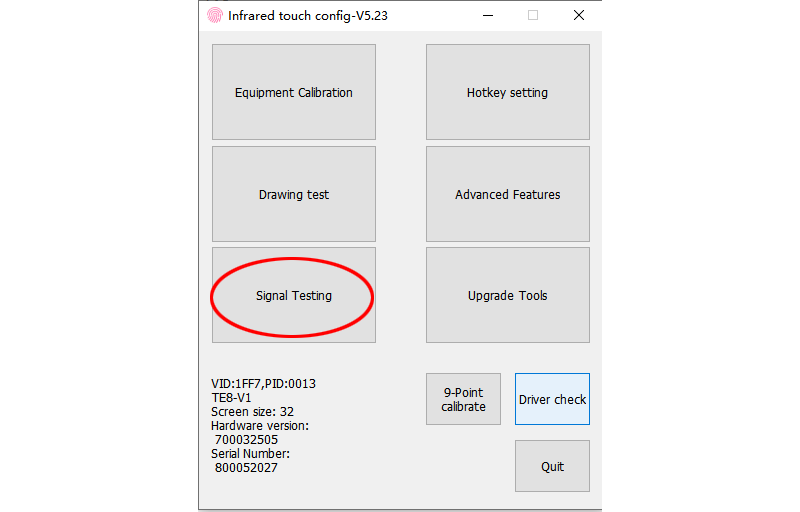
3.Check the signal
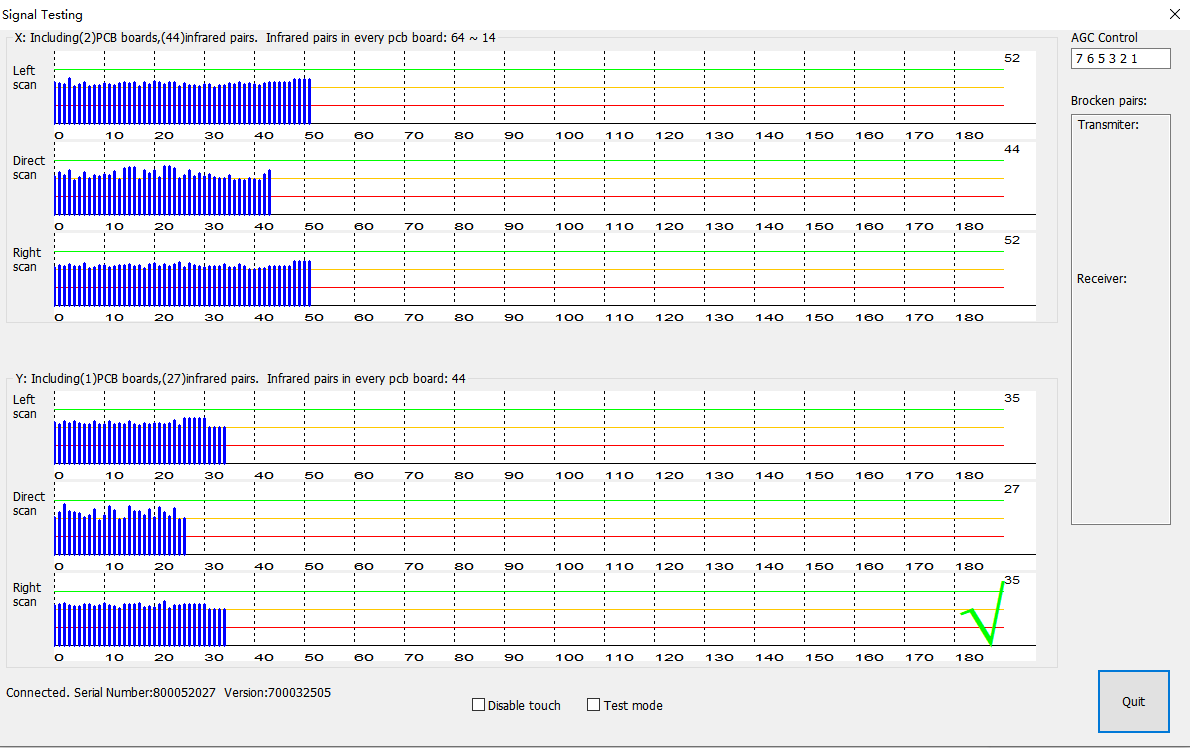
If you get the following signal, it means that the signal is good, and there is no problem with infrared touch frame
4.If the signal has the following errors, please check the connection line at the top right corner.
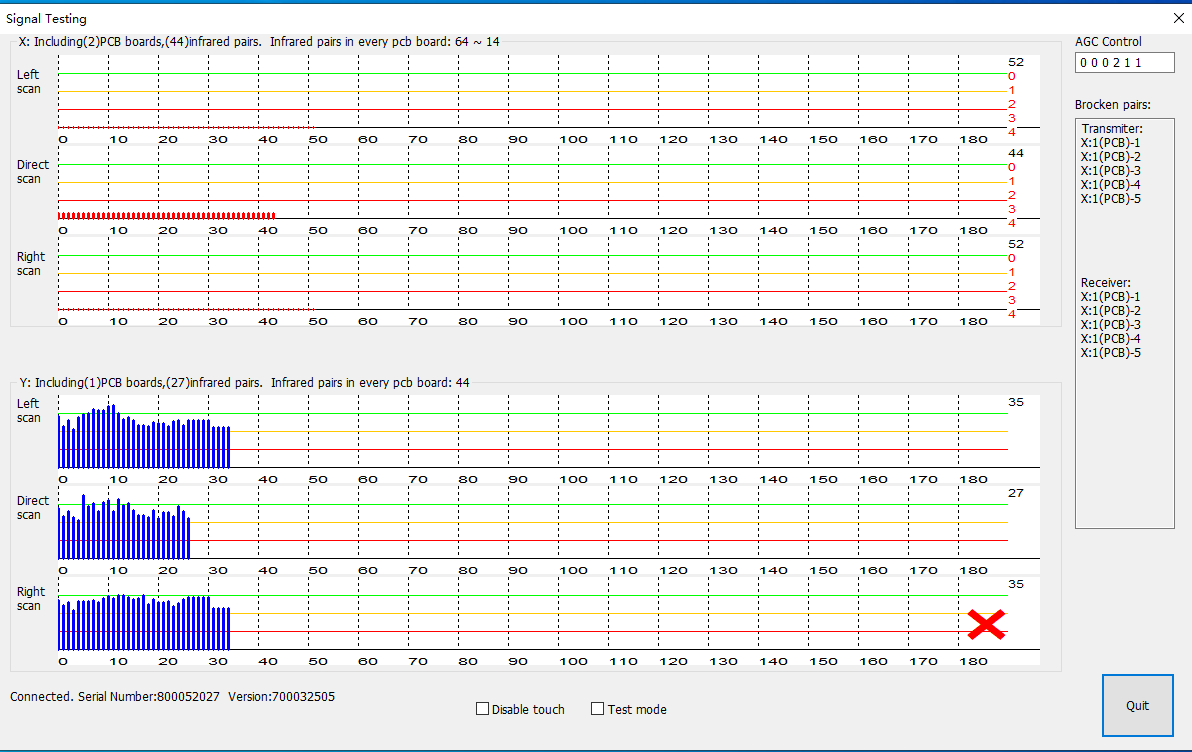
If you get the following signal and there is no signal on the X-axis, it means that the connection cable in the upper right corner is incorrectly connected or not connected. Please check the connection cable in the upper right corner (metal facing down).Refer to installation instructions